Reflecting on CEP 810

Wow! My seven weeks in CEP 810 have really flown by. For this being my first experience in the MAET program, I am filled with so much enthusiasm and motivation. During the last seven weeks I have been exposed to so much amazing information. Starting with the discovery of how learning and technology has evolved over time,  ending with repurposing and all the professional learning networking in between, I am leaving this program feeling prepared to take on the next chapter in my MAET journey.

As a teacher it is easy to think of yourself as a life long learner. I have learned from my students. I have learned from my colleagues, and I have certainly learned from my experiences. In CEP 810 I got to expand my Professional Learning Network, and dive deep into my Network Learning project on Meditation. Since this course has started I have even brought my professional learning network into my discoveries with my Network Learning Project by practicing meditation with them.

My favorite week of learning was this last week with TPACK. It really brought the course full circle from where we started talking about novices v. experts. As an expert in my field of education I was able to make a real connection on repurposing. For example, using Scratch Jr. can be used to both teach coding and literacy. However, before that repurposing can happen, according to TPACK certain knowledges for the content and the technologies have to be in place to achieve the best outcome of learning.  During this course I feel that I have been given more content knowledge to apply what I have learned, in my own teaching.
tpack-297x300.jpg

In my classroom we reference the “Learning Pit” quite frequently. This is a concept developed by James Nottingham. In short it is an analogy for learning stating, that before you enter the pit you feel scared about not knowing what you are learning. You enter the pit then, feeling frustrated as you try to navigate your learning. Finally, after understanding the concept you leave the pit feeling accomplished. The pit is a great analogy when thinking about my experience in CEP 810. With this being my first graduate course I felt a nervous excitement as I entered my learning. I felt a mixture of frustrations and successes as I navigated my learning over the last 7 weeks. Finally, after completing the course I have a fantastic understanding for the content I learned during these 7 weeks, and can apply it to my teaching.

learningpit_white

The only questions I have in closing my reflection is, what’s next? How will I get all this wonderful information out to my professional learning network? Are all people ready to incorporate technology in their classrooms, or is more knowledge of technology needed? Will all of my other courses in MAET be this creative and fun? I may be out of the “pit” for this course but in thinking about the “pit” analogy and the entire MAET program a I am just entering the “pit” and the excitement of navigating my learning as a student, is evolving the way I teach in such a wonderful way.

References:

Learning Pit. (n.d.). Retrieved from http://www.jamesnottingham.co.uk/learning-pit/ 

Tpack. (n.d.). Retrieved from http://www.rt3nc.org/edtech/the-tpack-model/tpack/

Cooking with TPACK

The TPACK Image (rights free). Read below to learn how to use the image in your own works. Right click to download the high-resolution version of this image.

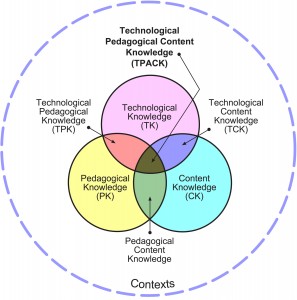
This week in CEP 810 we focused on TPACK theory (Technological, Pedagogical And Content Knowledge). There are 7 components to the TPACK framework. Referencing the above image these areas of the framework are outlined as: content knowledge, pedagogical knowledge, technology knowledge, pedagogical content knowledge, technological content knowledge, technological pedagogical knowledge, and at the crossroad of all areas you will find TPACK. During his Keynote Speech at the 21st Century Learning Conference Punya Mishra says we live in a world with a variety of technologies and it is up to us as educators to repurpose and customize these technologies for our needs. In his speech Mishra talks about all sorts of ways people repurpose items and technologies to make them useful in a different way.

Relating this to myself, as an educator I can tell you hoarding was the first thing that came to mind when I entered my first classroom, that had been inhabited previously by a teacher of 25 years. There were so many things in every crevice of the room. I immediately took to throwing things out that I thought served no purpose. I was soon stopped by a veteran teacher who told me to think creatively before tossing everything to the curb. So I put a pause to the purging and let the year play out. When it came time to teach fluency I had read up on different techniques to teach 1st graders fluency. Read to Self phones was one of the techniques I wanted to try. They are essentially phones to help the students monitor their tone and rate while reading. Well I remembered amongst ALL my new/ old things I had inherited there were PVC corner connection pipes (previously used for building blocks), and enough for me to connect them all to make read to self phones for all of my students. A picture of these can be seen below. This is just one of many examples I have found for repurposing technologies and materials to fit into the 1st grade curriculum.

Image result for Read to Self Phones

Continuing with repurposing this week as part of our learning we had a quick fire challenge. We were asked to have a friend pick out some utensils to help with completing a kitchen task. In my video below you will see that a spoon may not be the best for making a veggie tray, but my knowledge about a veggie tray helps me to repurpose the spoon to be quasi successful in creating a veggie tray.


References

TPACK.ORG. (n.d.). Retrieved from http://tpack.org/


I found Zen with my NLP and Meditation

When I started this journey with my network learning project a few weeks ago, I had know idea what I was going to choose to learn. The idea of being the student again was kind of overwhelming, and the endless ideas of things to learn was daunting. Through the struggle though I picked what I wanted to learn, which was meditation, and dove into building a professional learning network to help me learn meditation. In my final video, I show where I started with no help and no clue, to where I am now with lots of help and advice from many sources. Multi media really played a huge roll in my success with meditation.

The Huffington Post provided me with two articles on where to meditate and apps to use. I found the reviews from the Apps Article to be helpful with narrowing down which apps were more useful than others. This helped me to decide on Walking Meditation. It was a good transition from being always on the go, to calming down and taking a second to sit and breathe. I also looked into meditation programs through YouTube videos. I started with The 30 Day Meditation Challenge, with jbittersweet, and through that I discovered Yoga with Adriene and DoYouYoga.com. I am currently on Yoga Now’s 30 Day Meditation Challenge which is through DoYouYoga.com. I plan to continue using DoYouYoga.com videos as I progress in the meditation journey.

Using WikiHow I found the other essentials I needed to be a successful meditator. Some of those essentials were; clothing, equipment, stretching exercises, and breathing exercises. One of the biggest helps I found when preparing was yoga. I touched on this in my last blog post about doing yoga before starting to meditate in order to relax my muscles. After a couple of weeks and using all of these tools I was able to really sit back and meditate. Now I am starting to see the benefits of meditation come through in my daily life. I feel very calm these days, and open minded. I have found both my personal life and professional life are very pleasant and manageable from my extra calm relaxing time. Just taking a few minutes to clear my head has made me more productive and able to Get Things Done.

My plan is to continue my network learning with meditation. I recently came across some guided meditation videos for kids that I think would be very beneficial with my students, especially on testing days. I have learned so much from this project not only about meditation, but about the endless possibilities of network learning. It seemed that every time I found some helpful resource that already had me linked up to my next helpful resource, and so the networking continued, and will continue as long as there is a desire to learn.


21st Century Lesson Plan

Last year our school adopted the Next Generation Science Standards and we had a lot of fun brainstorming as a grade level what to do for our first unit which revolves around the scientific method and engineering. During the Engineering unit, students are tasked with designing and object, testing that object, and then finding a way to better that object. Tying that to my CEP 810 assignment this week we were tasked with designing a 21st Century Lesson using technology to help drive instruction. In searching for a tool to integrate technology into this engineering lesson, I turned to the best tool to use and the #1 technology tool according to The Center for Learning and Performance Technologies list of the 100 Best Tools for Learning that tool is YouTube.

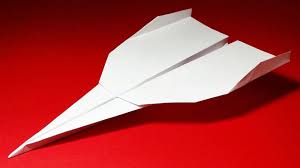
Earlier this week I had some inspiration from one of my students who was crafting a paper airplane during choice time but just couldn’t get it right. It hit me! My students could engineer their own paper airplanes using YouTube videos. When we looked on YouTube the students had access to hundreds of different how to videos on making paper airplanes. The videos were short enough where they could analyze a couple different planes to come up with which one would be the best for them to create. Then we could do a follow up lesson the next day where they could test their planes reflect on what they did the day before, and act on ways to make their plane fly better. It was a perfect way to hit all of Hobbes core competencies of fundamental literacy practices.

Being an ambitious teacher I thought I could fit all areas of this lesson into one day. After talking with my colleague and taking her advice. I found the process would be better spaced out across two days. I definitely believe there are more areas in this lesson to plug in different technologies but so many of my students already use YouTube, I thought this was a great tool to get us off an running into the 21st century.  The lesson plan can be found here, and it includes some of the notes from my colleague, which I value highly. I plan on executing this plan this week so check back in on the blog to see how the students did in engineering their own paper airplanes.


References

Hobbs, R. (2011). Digital and media literacy: Connecting culture and classroom. Thousand, Oaks, CA: Corwin/Sage.


www.youtube.com – Search How to Paper Airplanes

Keeping up with Google Keep and getting organized this week in CEP 810

IMG_6986.PNG

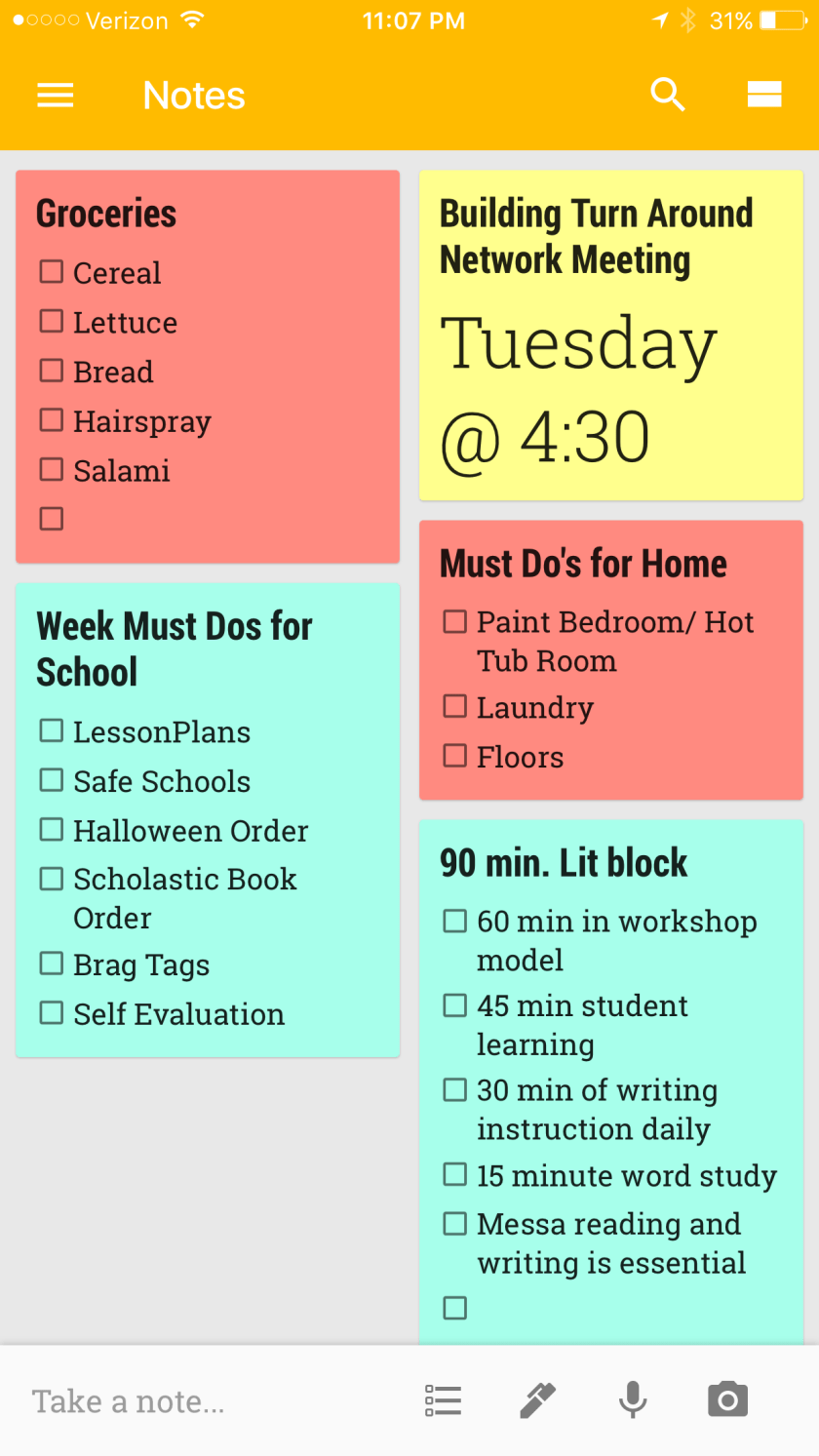
This week in CEP 810, we were tasked with exploring tools for Getting Things Done  . David Allen is super insightful with pinpointing why we as humans procrastinate, and are always stressed out with getting things done. There were times during his Tedx that I thought he was describing me. To sum up Allen’s process for managing the workflow though, he highlights 5 steps in the process of Getting Things Done.

Step 1 is collect, and my collection of sticky notes speak for themselves when I collect things to do. I find sticky notes all over the place with a few items to do here and there. Step 2 is process, there are certain items on my to do list I may need to wait on because I do not have everything I need to complete said task. By looking at my list above I do not have paint yet so that must be completed before I can continue with painting. Step 3 is organizing, this tends to be the one I get hung up on. I turned to google keep this week to get organized. In my google keep I have my notes color coded from school to home, and I have set alarms for things that are “time sensitive”. I shared the home notes with my husband so he can help with tasks or add to things that need to be done which is awesome. We also linked our google calendars together so that we can plan are weeks around each other’s busy schedules. Google Calendars is something that I use at work as well so this was an easy transition, and I was able to help Dave with linking our calendars.

Currently I am on step 4 of reviewing my to do’s for the week. My tasks start tomorrow and I am ready to do. Using David Allen’s criteria for due I need to make sure my tasks are:

  • Context
  • Time Available
  • Energy Available
  • Priority

My Plan for this week to complete step 5 and Do, is to use my Prep time to focus on school work because, I do not have energy or time to work on it after school. I am going to allow over flow time during the morning, so I can focus on working out, and meditating after school and this also leaves time for after school meetings. I am going to take Wednesday and Sunday to work on My course work because that is uninterrupted quiet time where I can think, and reflect. This should leave my home time plenty of time to enjoy my family and Get Things Done at home.

With Google tools on my side and a new found enthusiasm for Getting Things Done, I am ready to take on the week!


References:

Allen, D. (2001). Getting things done: The art of stress-free productivity. New York: Penguin


Namaste and Meditate

Namaste! I have been doing a lot of research and practice into the world of meditation, and I am excited to share my progress. This week in CEP 810 our assignment was to post about the progress we are making with our network learning project. During week 2, I chose that I was going to learn about meditation So far in my learning, I have to say I am feeling very zen, and I have found many resources to guide me through the relaxing art of meditation.

Wanting to know how to meditate I turned my attention to WikiHow for my first steps on where to start. Some of these things I knew like choosing a peaceful spot (which ended up being hard to find), and to wear comfy clothes. WikiHow introduced me to some new things to think about though too, one of them ended up being my biggest challenge. They mentioned figuring out how much time you wanted to meditate, and stretching to sit correctly. After reading the wikiHow I turned on my first guided meditation which was from the How to Meditate- 30 Day Meditation for Beginners and I thought I was ready to go, which is when I reached my first obstacle…stamina.  I was under the impression that with the right mindset and instruction meditation would be simple and something I could do for  a while, this was

a huge misunderstanding on my part. I have a mind that is always go go going, thinking about teaching, and life, this made sitting down and clearing my mind for more than 5 minutes very hard. Some of the distractions I had was getting comfortable and sitting still, and just relaxing. I thought maybe my living room was not the most relaxing place , and that maybe I was not sitting correctly so I sought out further information and help to guide me.

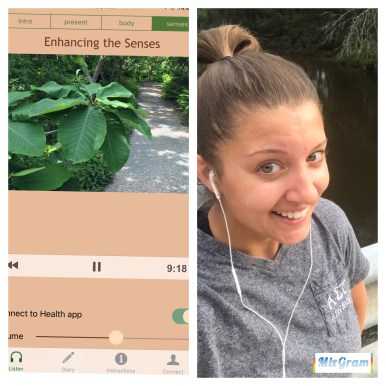
When googling meditation poses I stumbled upon a Huffington Post article titled, Where To Meditate: 11 Surprising Places To Find Some Zen. This article lists  some very interesting places where people meditate, ranging from the airport to the subway train and the most bizarre one, to me was the dentist office. When trying to make sense of this list I realized that place does not matter, what matter is where ever you can find peace. That article though, linked me to another Huffington Post slideshow collection of apps that can be used for Meditation. This slideshow introduced me to Walking Meditation. During the first week of my meditation exploration I used the guided meditations that the Walking Meditation app provided. I live right on a river so the scenery for my walk was so nice and I was able to clear my head easier and just breathe. I included a picture of my first guided meditation walk.

IMG_6984.JPG
First peaceful walk using the Walking Meditation App.

Knowing this was not the traditional meditation I had embarked on learning, I decided to use this to start, with a goal of working towards stationary meditation. After a week of using the Walking Meditation App, I returned to my resources to see how I could get my body and mind into a more restful stationary position. Returning to my WikiHow, I remembered stretching was super important so I decided to try doing 10 minute yoga sessions before engaging in meditation. I used the 3 Week Yoga Retreat program through Beachbody On demand. They have a 10 minute inner peace session that was perfect for getting my muscles loose to feel more comfortable while sitting. Another pre meditation yoga session I found was called, “Yoga for Self Care,” from Yoga with Adriene on youtube. She also has guided meditations that I used after yoga which was super relaxing.

With my new tools and working on clearing my head, I was ready to put it all together to engage in stationary meditation. I picked a beautiful place on my dock and between my two go to youtube channels, Adriene’s and Meditation for Beginners, I engaged in guided meditation. The video of steps I took to successfully meditate can be found here. I started small at 10 minutes and now I am able to clear my head and meditate for 23 minutes. I still will throw a Walking Meditation session in 1-2 times per week, but my stamina for actually sitting and taking a minute for me has increased tremendously. To wrap up my progress I have always been a rather calm individual, but just today my Husband said to me that I seem very relaxed a level headed (back story, I was texting my sister who I was upset with at the time), so I would like to think that my meditation is beginning to positively affect my mood and energy. As you enter the hustle of the work week I challenge you to take a minute for yourself, clear your head, and Namaste!

E7773C4F-F2FC-4A8B-8217-D6FB2840172F
Finally found my Zen!


Professional.Learning.Network

My mentor teacher and first real contributor to my professional learning network told me that teaching is all about sharing ideas and creating learning experiences. What I realized quickly, is that you cannot share alone, and you do not create learning experiences alone. The educators that surround you are your biggest tools.

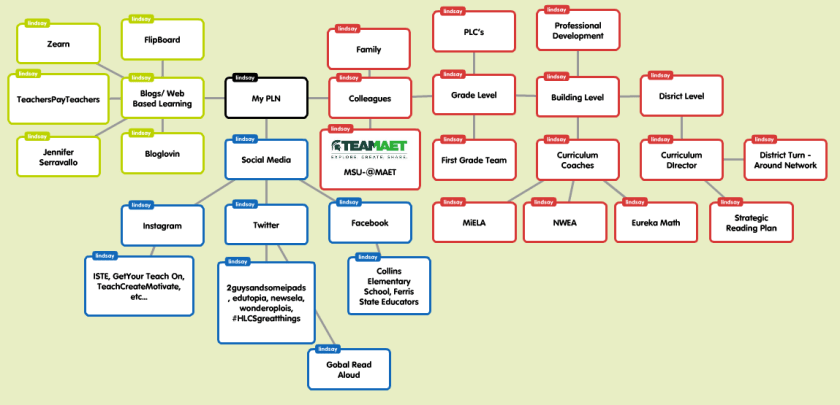
I learned so much about professional learning networks (PLN) this week in CEP 810. I started out being shocked that over half of new teachers leave the teaching profession within the first 5 years due to not having a strong professional learning network to turn to for collaboration and help (National Educational Technology Plan (2010, p.39). When sitting down to think about my professional learning network using Popplet, I realized that I have a strong PLN, and it is only getting stronger. Just looking at the areas of colleagues I have so many other professionals to collaborate with.

In the area of web based PLN and Social Networking I believe I had all the tools to strengthen my PLN, I just did not know how to use them. This week I rediscovered Twitter, and I am ready to use this to discover new ideas and ask questions globally. I reconnected with the Instagram accounts I follow professionally, and I strengthened my learning with RSS using Flipboard. As I think about what my learning will look like a month from now, I imagine I will have many more resources as a teacher and I will be able to clarify learning through so many avenues. I also imagine that not only will I be able to share my ideas, but I will be able to retrieve ideas from others in my PLN. To conclude, if I have learned anything from this week and creating my Popplet, I have learned that I am the other half of new teachers that made it in the field past the 5 year mark. I owe that success to my PLN, both personally and professionally, both locally and globally.


References

National Education Technology Plan. (2010). Retrieved from https://tech.ed.gov/netp/

Feeling Zen about my Network Learning Project

This week in my CEP 810 class, our assignment was quite interesting. I can honestly say it was so interesting, I struggled with it a bit. We were tasked with finding something that we wanted to learn about, and then document that learning, along with the networking tools used to engage that learning.

Before I divulge what I have chosen for my project idea, I have to explain the struggle that lead me to choose. When I became a teacher 5 years ago, I made a promise to myself that each year, I would pick something new to learn. My first year it was laying flooring, the second was using presentation devices during lessons, the third year Spanish (basics), last year I learned the ukulele, and that brought me to this year. Now tasked with an assignment, I found choosing a subject to be hard. # 3 in James Paul Lee’s features list of well-designed experiences for newcomers, he shares that “the newcomer cares emotionally about the outcome of the action. It matters” (Lee, 2013, page 3). His list he shares in Digital Media and Learning is very informational and can be found here. Specifically thinking about #3 though, something that matters to me is that as a teacher, I stay well balanced emotionally and physically. So, I have chosen to learn about the art of meditation.

I really think the reason I struggled so much in finding a topic of learning is because when using youtube, along with other digital networking forums the possibilities are endless. Will Richardson says it best by explaining “The Internet has delivered an explosion of learning opportunities for today’s students, creating an abundance of information…” (Richardson, 2012). Meditation is something I can use and continually grow with. In just googling meditation for beginners, my search results yielded over 1 million videos. The first video being a 1-30 days to meditation guide. I also flagged some amazing blogs that will be helpful during this time, one of them being The Conscious Life. During this time I hope to learn the steps towards meaningful meditation, and discover its health benefits.  As well as, getting some relaxing time in, which let’s be honest all teachers could use.

As James Paul Gee describes almost any interest can be sought out in technology,  he goes on to explain further that, “some people on these sites gain a real passion for this interest, put in thousands of hours of practice, and become real masters of the domain—often better than credentialed experts” (Gee, 2013, Page 15). In the next weeks I will be documenting my learning into the tranquil art of meditation. Check back in to view my progress, and maybe you can learn a few things about meditation as well.

Bibliography

Gee, J. P. (2013). Digital Media and Learning: A Prospective Retrospective. Retrieved September 15, 2016, from jamespaulgee.com: http://jamespaulgee.com/pdfs/Digital%20Media%20and%20Learning.pdf

Jbittersweet. (2015, April 1). How to Meditate-Meditation for Beginners-Day1. Retrieved September 15, 2017, from Youtube. http://www.youtube.com/watch?v=n4fRZU5oEMI

Ho, Wee Pang, (2009-2017). How to Meditate for Beginners. Retrieved from The Concious Life, https://www.theconciouslife.com/how-to-meditate-a-guide-for-beginners.htm

Daly, J (2012, September 14). Why School? TED ebook author (Will Richardson) rethinks education when information is everywhere. Retrieved from http://blog.ted.com/why-school-ted-ebook-author-rethinks-education-when-information-is-everywhere/


From Novice to Expert

This week in my CEP 810 class we were tasked with defining learning while reading Bransford, Brown & Cocking’s, (2000), How people learn: Brain, mind, experience and school. In the second chapter the differences between a novice and expert learner are discussed. Preexisting knowledge was brought up a few times, and that had me thinking about my own students. As a first grade teacher, in a low income school district most of my students come to school with little preexisting knowledge other than what they obtained in Kindergarten. In this essay I reflect on what I read and how it relates to my own classroom. As well as, what I need to consider as a teacher to make sure my expertise in first grade curriculum is taught in a way my students can engage in and ultimately understand. I welcome your feedback and hope you enjoy my brief essay which you can find here.

From Novice to Expert

This week in my CEP 810 class we were tasked with defining learning while reading Bransford, Brown & Cocking’s, (2000), How people learn: Brain, mind, experience and school. In the second chapter the differences between a novice and expert learner are discussed. Preexisting knowledge was brought up a few times, and that had me thinking about my own students. As a first grade teacher, in a low income school district most of my students come to school with little preexisting knowledge other than what they obtained in Kindergarten. In this essay I reflect on what I read and how it relates to my own classroom. As well as, what I need to consider as a teacher to make sure my expertise in first grade curriculum is taught in a way my students can engage in and ultimately understand. I welcome your feedback and hope you enjoy my brief essay which you can find here.